
Need some advice?
Where to Put Your Logo on a Hoodie
For a small company logo, start with the left chest. If you need a larger front print, look for a pullover with enough room above the pouch pocket. On a full zip, use one chest panel or move a wider design to the back. With any back print, check where the hood falls on someone wearing the hoodie.
Before you shortlist custom hoodies, decide what the logo needs to do. Staff may need to be recognised from the front at a trade counter, from behind when directing visitors, or both. That tells you where to look for room on the garment and helps you price the positions you'll use.
- Page contents
- Choose a Position
- Check the Garment
- Check Logo Size
- Write Order Brief
- Approve the Position
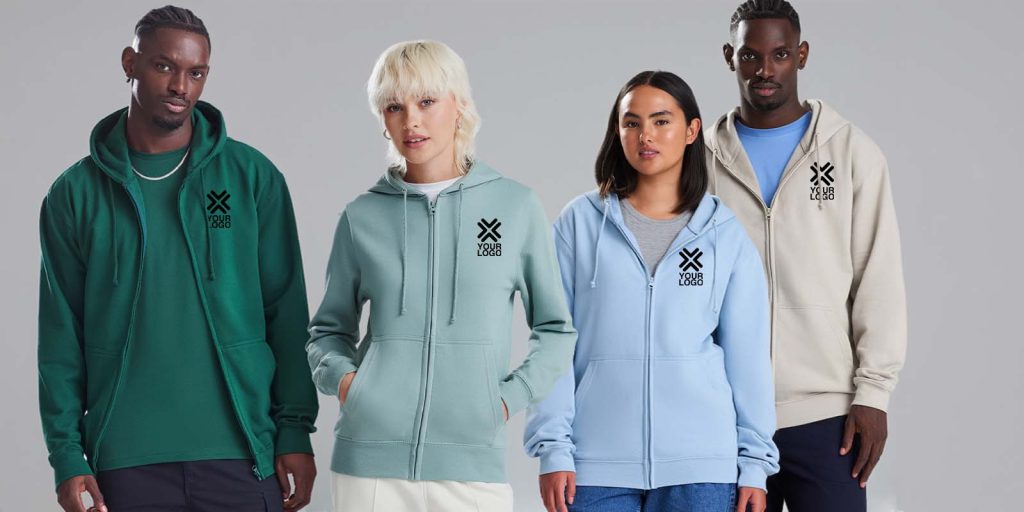
Choose a Position That Suits the Artwork
| Position | When to use it | What to check on the garment |
|---|---|---|
| Left or right chest | A compact company logo, society crest or name. | Allow room between the armhole, neckline, zip and pocket. Give the side from the wearer's point of view. If the person also wears a name badge, check how the two will sit together. |
| Centre front | A larger illustration, team graphic or bold lettering on a pullover. | Check the clear space above the pocket on the smallest size. Look at where the drawcords sit when they're loose. |
| Back | A role name that needs to read from behind, a large logo or a sponsor design. | Check where the hood lies when it's down. Keep the important line of text visible and position the design high enough to clear the hem on shorter sizes. |
| Sleeve | A short sponsor name or a secondary logo. | Specify left or right and upper or lower sleeve. Check where the seam sits and read the design with the arm resting naturally. |
Choose the positions together if the hoodie will carry more than one logo. For example, a small chest logo can identify the company while a large printed word on the back helps visitors find the event crew. Put each position on the quote so you can see the finished cost.
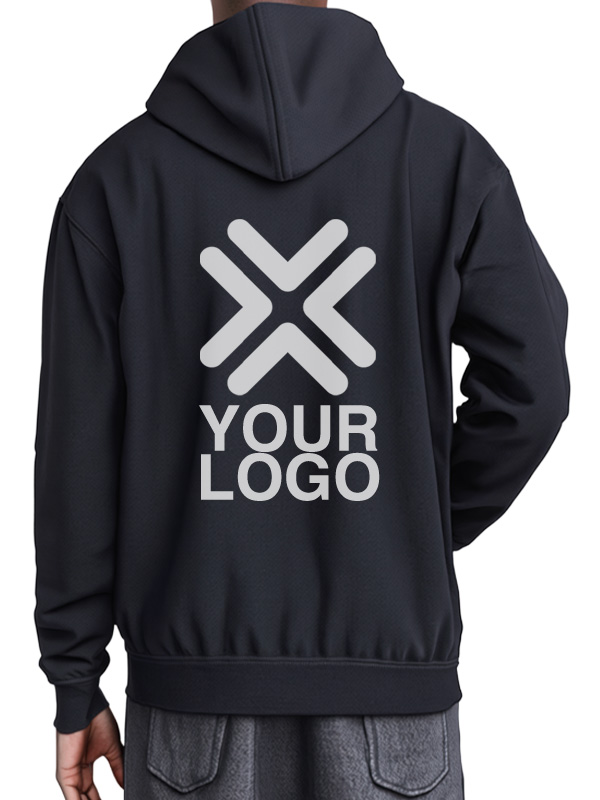 Back design position
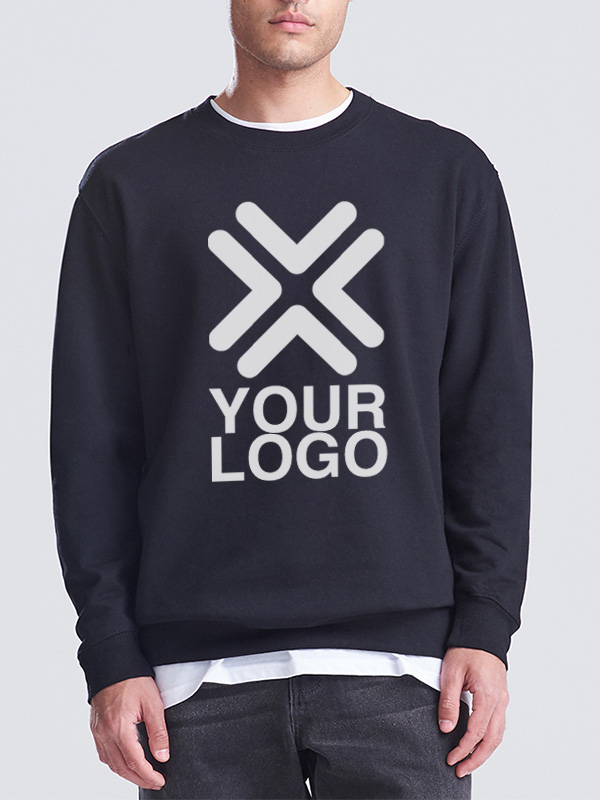 Front Centre design position
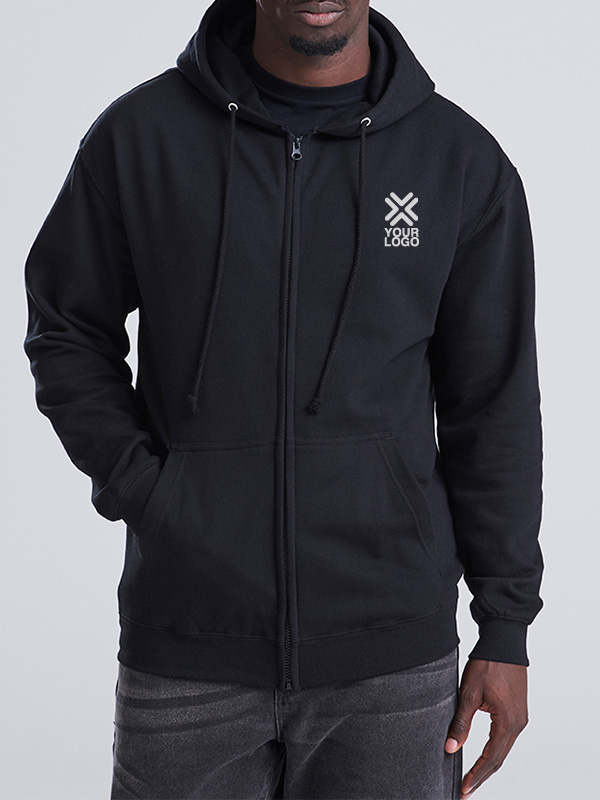 Left Chest design position
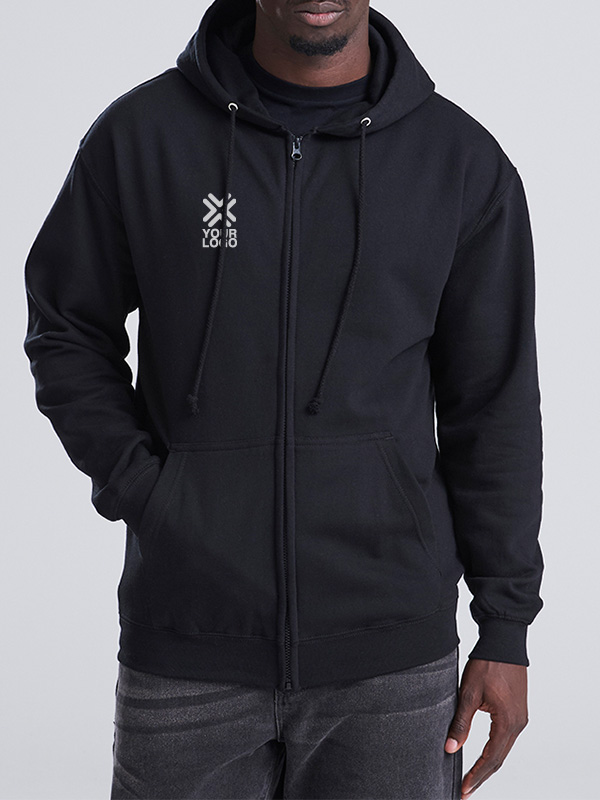 Right Chest design position
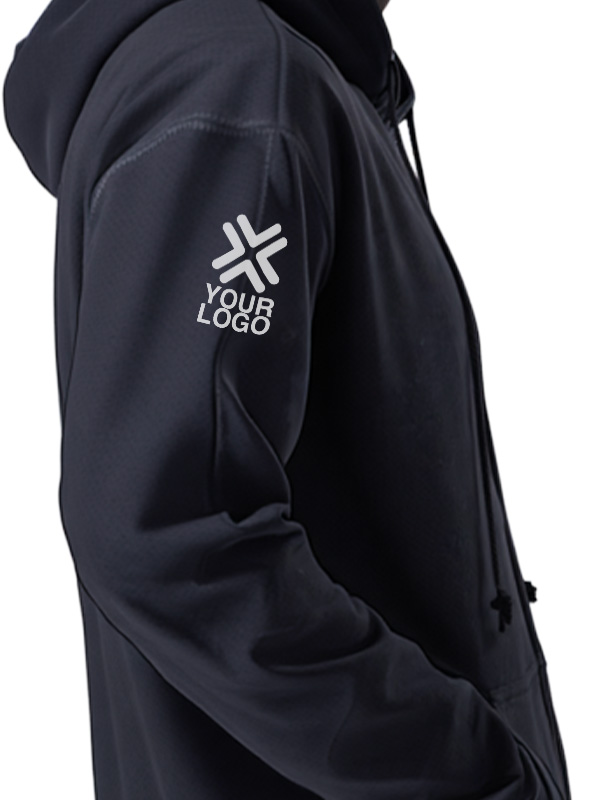 Sleeve design position
Check the Actual Pullover or Zip-Up
On the AWDis Just Hoods College Hoodie (JH001), the pouch pocket sets the lower edge of the space you have for a front print.Hold a paper copy of the artwork up to the garment at the intended print size. Check where the pocket seam and drawcords sit before you settle on the width and height.
On the AWDis Just Hoods Zoodie (JH050), the zip runs through the middle of the front.. A small left-chest logo can fit on a single panel. If the artwork needs more width, try the back with the hood down. Ask us to assess the style and the artwork if the design needs to sit close to a zip, seam or pocket.
Try the layout on the smallest size in the order and check how it looks on the largest. A hoodie in small has less room between the armhole and zip than a larger size in the same style. If the artwork only just fits, ask whether one finished size works across the run or if the brief needs a second size. Our guide to choosing and ordering custom hoodies covers garment selection and size splits in more detail.
Check Print and Embroidery at the Finished Size
An embroidered chest logo has to read at the size it's stitched. Print the proposed design on paper at its actual width and check whether the smaller words and the gaps between letters are clear. If they're cramped, send an approved compact version of the logo or ask about using a larger print position.
For a print, check the usable panel on the garment, then confirm how much detail and colour the design needs. Raised seams, zips and pockets can interfere with even pressure during heat application. The decoration team can assess the actual style and position before you commit. Our print and embroidery guide for team uniforms explains how the two methods suit different artworks and uses.
Send the original artwork and any approved compact version. If you need screen print, send vector artwork. For digital print, a high-quality PNG can be suitable at the intended print size. The logo artwork guidelines explain which format to supply and how to flag a colour you need us to match.
Put Each Position on the Order Brief
Say you're ordering 24 pullovers for an event crew and 12 zip-ups for supervisors. You want the same embroidered staff logo on the left chest of all 36, with a larger printed EVENT CREW on the back of the pullovers.
| Garment | Qty | Left chest | Back |
|---|---|---|---|
| JH001 pullover | 24 | Embroidered staff logo | Printed EVENT CREW, visible with the hood down |
| JH050 zip-up | 12 | Same embroidered staff logo, with clearance from the zip | Leave blank |
Ask for a quote for 36 embroidered logos and 24 back prints. Give the garment codes, colour and quantities by size. State the finished logo width if you have one in mind and ask us to confirm that it fits both styles. If the logo is meant to match an existing uniform, attach any previous proof or order reference you have.
Approve the Position Before the Full Run
Use a Free Digital Sample to check the position, size and overall layout on your chosen garment. Open the proof for each style and layout and confirm the following.
- The side and position are correct from the wearer's point of view.
- Small lettering reads at the agreed size and the artwork is clear against the garment colour.
- The design sits clear of the zip or pocket and stays visible with the hood down where required.
- The agreed layout will fit the size range you're ordering.
If you need to judge how the print feels, how the stitching looks, or how the colour matches an existing garment, ask which finished sample options are available. Once you've approved the proof, keep it with the garment code and order reference so you can specify the same layout for top-ups.
When you're ready to compare hoodies with your logo, shortlist the styles, then send us your artwork, quantities and preferred positions. We can help you check what fits on each garment before you order.

Latest posts by Andy (see all)
- How to Add Hoodies to Your Band Merch Range - 16th November 2026
- Where to Put Your Logo on a Hoodie - 16th November 2026
- Custom Hoodies for University Clubs and Societies - 16th November 2026